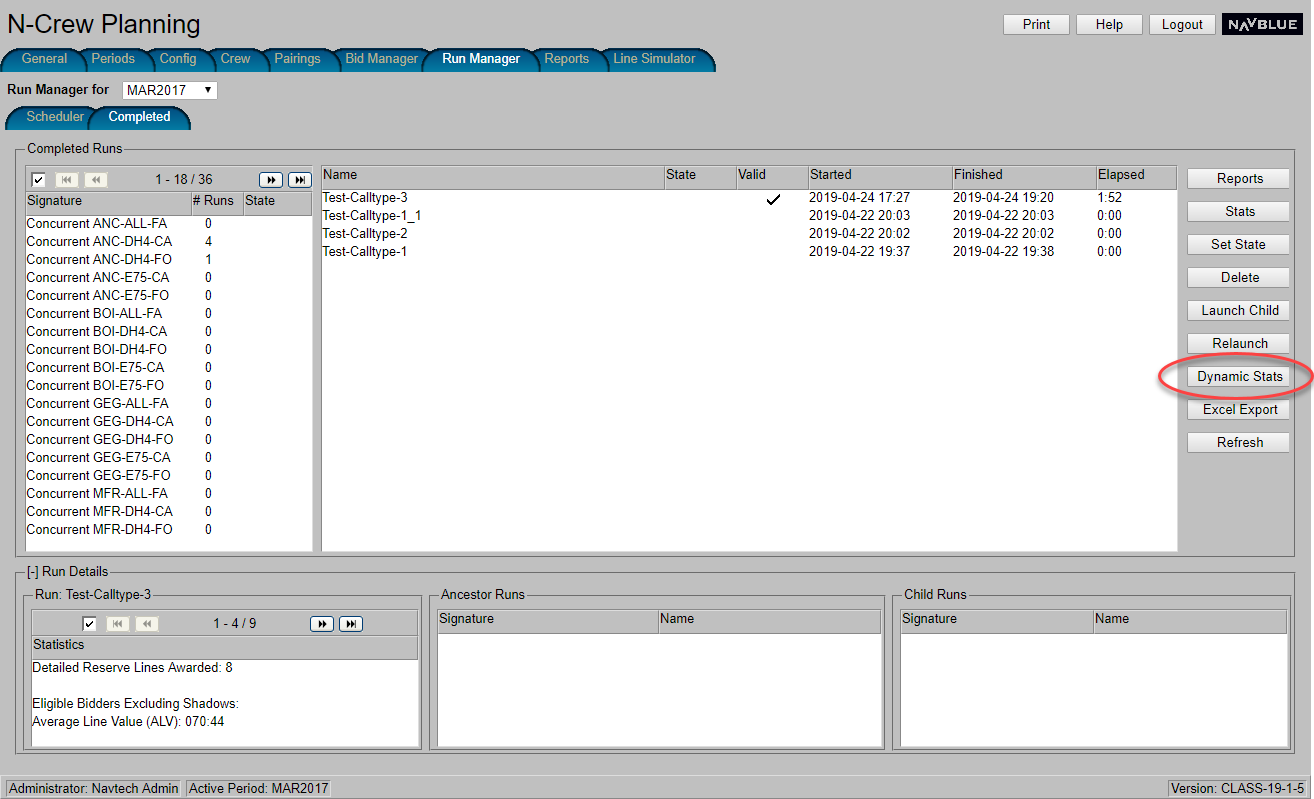
If available, the Reserve Coloring Grid (housed inside the Dynamic Stats report) displays the current number of crew on reserve, showing possible variance between the target and actual crew coverage levels, broken down by reserve call type. The report is useful in determining at a glance whether staffing levels are adequate for any given day.
View sample screen shotView sample screen shot
To view the crew report:
|
|
This report is currently limited to particular airlines. |
Switch to the Run Manager tab.
Switch to the Completed tab.
From the Completed Runs area, select the Signature for the category of crew you want to view. Note there must be runs available to view any data.
Select the Name of the particular run you want the report to use.
Click the Dynamic Stats button.
The Dynamic Stats report displays. The Reserve Coloring Grid section of the report displays the reserve crew values.
