Info Screen
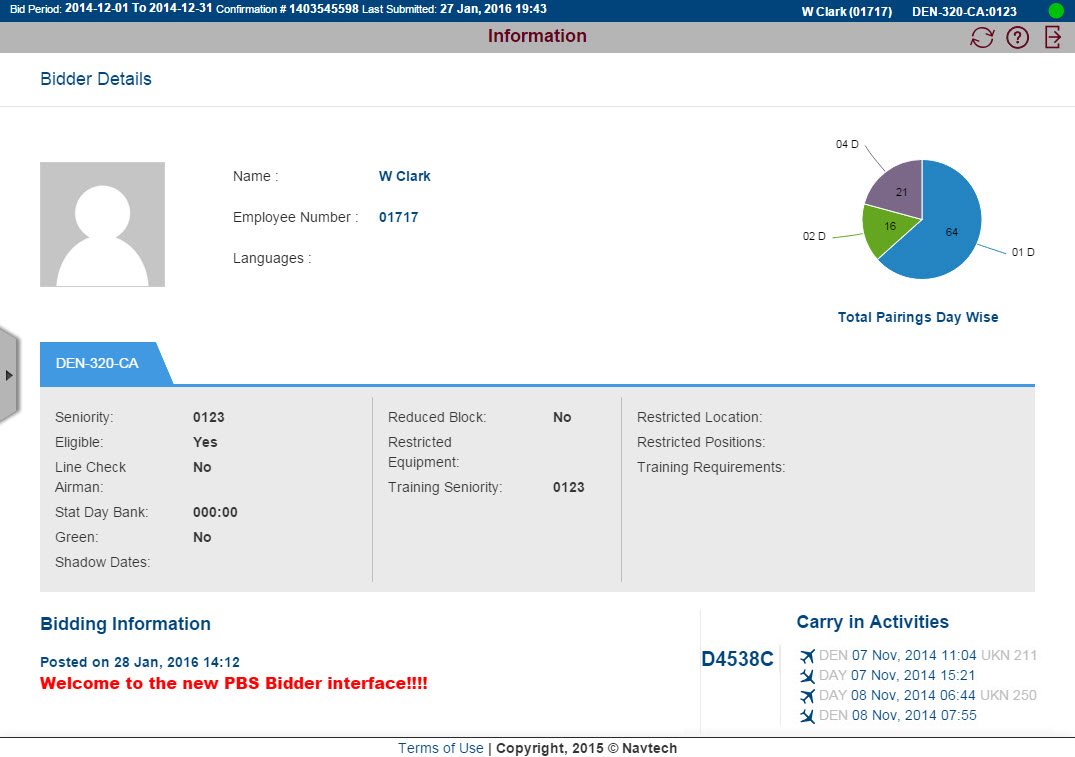
When you log in you are taken to the Info screen, see Info screen for more information.
View/Close ScreenshotView/Close Screenshot
Info Screen
The top blue header is visible from any screen. It always displays:
start and end of the current bid period
confirmation number of your last bid submission
date and time of last submitted bid
your name, category and seniority number
online status, see Off-line and On-line Mode for more information
The gray header below the blue header changes to display information based on the screen you are using. The buttons vary depending on the screen and if you are on-line of off-line, see buttons for more information.
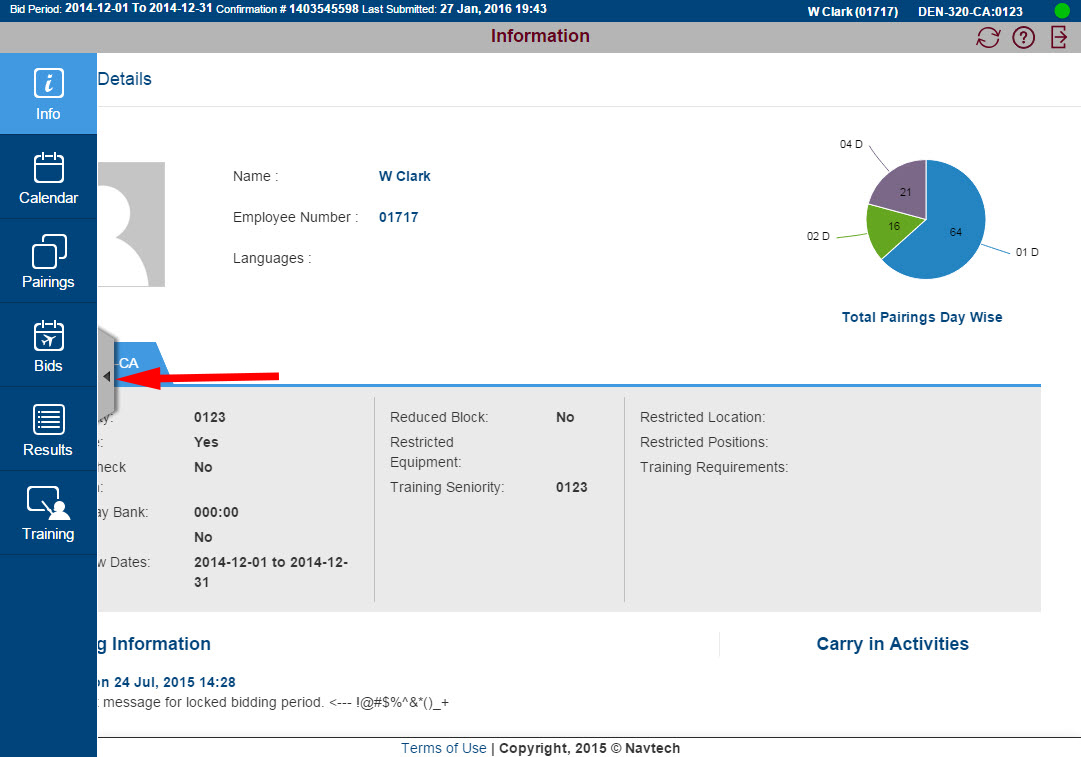
Use the panel on the left side of the screen to navigate to a screen. Depending on the size of your screen or browser the panel may collapse. Click on the arrow to make the panel appear and click it again to collapse.
View/Close ScreenshotView/Close Screenshot
Info Screen with navigation panel
View/Close VideoView/Close Video
There are no scroll bars on the NAVBLUE PBS interface, so if there is more information than can fit on the screen:
Windows or Apple PC
right-click and hold mouse down
Touch Screen
tap and hold on the screen and swipe down